Best Cross Stitch Tracker Apps (2026): Free & Paid Pattern Trackers Compared
Pattern Keeper, Markup R-XP and StitchThis compared for tracking patterns you own: devices, price, free options, PDF import, parking and sync.
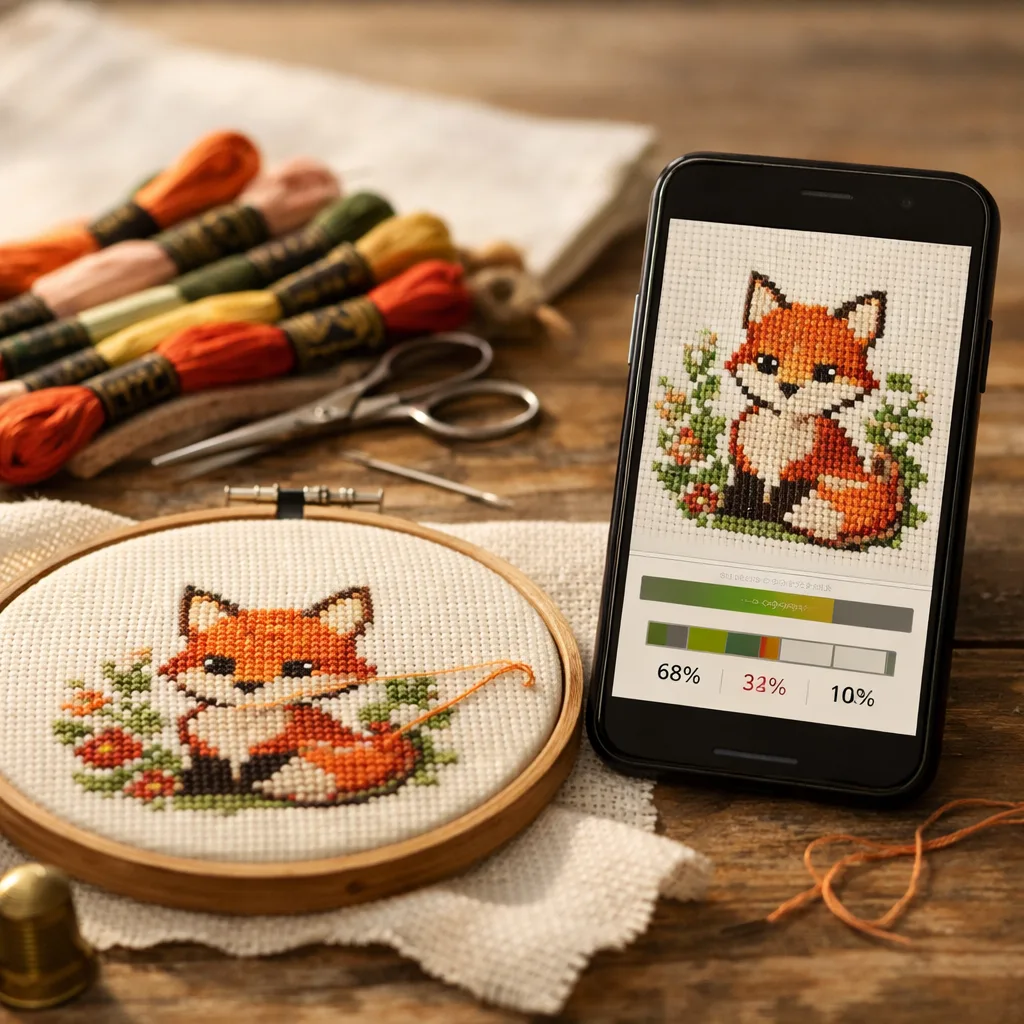
Quick answer: For patterns you already own, the three trackers most stitchers choose between are Pattern Keeper, Markup R-XP and StitchThis. Pick by device first, then by which PDFs you have and whether you want your progress on more than one device.
This guide is about tracking patterns you already have: the PDF you bought from a designer, the OXS file from a charting program, the chart you've been meaning to start for two years. Physical copies of patterns can get ripped, messed up, lost, and degrade over time. Online programs make it easy to store patterns, keep them organized, and track while you stitch them. This article compares the apps people actually use for that, on the things that decide whether one works for you: which devices it runs on, what it costs, which PDFs it can read, how it handles backstitch and fractional stitches, parking, stats, sync and backup.
This comparison is based on each app's own documentation: its website, help pages and store listing, linked in each section and checked in November 2026. StitchThis is our own app, so we describe it from using it. Prices are US prices as listed in Nov 2026 unless marked otherwise. Apps change, so check the listing before you buy.
What a cross stitch tracker app does
A tracker app turns your pattern, usually the PDF you bought, into a permanent digital copy you can mark off as you stitch. Instead of highlighting a printed copy, you tap or swipe the stitches you've done, and the app keeps your place and counts for you. The good ones also:
- Highlight one color so every square of it stands out, which matters on confetti-heavy charts.
- Join multi-page PDFs into one continuous chart, so you don't assemble pages by hand.
- Remember where your needles are parked if you use the parking method.
- Count stitches left per thread and estimate when you'll finish.
If you're still on paper and want to compare methods first, start with how to track cross stitch progress.
The cross stitch tracker apps compared
| Pattern Keeper | Markup R-XP | StitchThis | |
|---|---|---|---|
| Devices | Android only | iPhone, iPad, Android | Any browser: PC, Mac, Chromebook, iPad, iPhone, Android |
| Price | 1-month trial, then about $9 once | 14-day trial, then $19.99/yr | Free for 2 imported charts; Stitch Tracker $19.97/yr |
| Digital PDFs | Yes, best with supported designers | Yes, any designer | Yes, symbol and color-block charts |
| Scans and photos of paper charts | Limited | Yes | No |
| Backstitch and fractionals | No | Drawn by hand on layers | OXS import, or drawn by hand (Maker) |
| Parking | Yes | Yes | Yes |
| Sync across devices | No (export and import) | No (backup and restore) | Yes, automatic |
| Edit the chart | No | No | Yes |
The details, and the sources behind them, are in each app's section below.
Pattern Keeper: the cheapest option, on Android
- The cheapest paid option: a one-month free trial, then "around 9 US dollars" once, per its pricing page. After the trial you can export your progress but not open charts.
- Android only. Its FAQ says iOS is "not yet" available. There's no desktop version (its help suggests an Android emulator on a computer), and it won't install on Kindle Fire.
- The basics, done well: mark stitches by swiping or in 10×10 blocks, highlight a symbol, park threads, and see stitches done and left per thread. No finish-date estimate and no chart editing.
- No automatic sync. Its FAQ says "Pattern Keeper doesn't have automatic sync": you export on one device and import on the other.
- Full stitches only. Its Play listing says backstitch and fractional stitches "are not supported".
- Works best with supported designers. It still calls itself a beta and keeps a list of supported designers; its import help starts with "check if the designer is supported."
Best for: one Android tablet and charts from its supported designers. More: StitchThis vs Pattern Keeper, Pattern Keeper alternatives, and which PDFs work with tracker apps.
Markup R-XP: best if you only have a photo of the pattern
- Reads almost anything: per its site, PDFs from any designer plus photos and scans of paper, book and magazine charts, with a grid editor for skewed scans. If your pattern only exists on paper, this is the one to try.
- iPhone, iPad and Android. 14-day trial, then $19.99 a year on the US App Store (£14.99 a year on its own site), as listed in Nov 2026.
- Full stats: percent complete, time, stitches per day, estimated completion, goals and streaks. Parking by double-tapping a cell corner.
- Backstitch drawn by hand. You draw backstitch, knots and fractionals on separate layers. Those drawings don't count toward progress: its layers help page says they "do not alter stitch counts or progress statistics".
- No automatic sync. Its user guide describes exporting a project as an .rxp file and restoring it on another device.
Best for: paper or scanned charts, and stitchers who want to mark backstitch. More: Pattern Keeper vs Markup R-XP and StitchThis vs Markup R-XP.
StitchThis: the full cross stitch platform, synced across all your devices
StitchThis runs in the browser on a Windows PC, Mac, Chromebook, iPad, iPhone or Android phone, with an app in development. Your progress follows you between devices through your account: mark a block on the laptop at lunch and it's there on the tablet that evening. And tracking is only the start. The same account holds your floss stash, a pattern shop, and the tools to edit a chart or make your own.
What sets it apart:
- Tracking that follows you. Automatic sync across every device, plus "Save to this device" for stitching offline. Stats show percent done, pace, a 14-day chart and an estimated finish date, and needle parking keeps one marker per thread.
- Easy on the eyes. Highlight a color and every other thread grays out, so you can see every square of it; limit marking to that thread, and Next jumps to its next stitch. A red-green colorblind preview and high-contrast symbols help when colors are hard to tell apart.
- Fix the chart, don't fight it. Plenty of patterns sold online now are generated by AI, full of stray single stitches and colors that don't hang together. StitchThis lets you edit the chart you're tracking, imported ones included: Change All swaps every stitch of one color for another, Fill recolors an area, and Draw fixes stitches one at a time, so the pattern makes sense before you stitch it. Track-only apps like Pattern Keeper and Markup R-XP can't change a stitch.
- Manage the whole hobby. A floss stash tracker keeps your threads by brand and number, with skein counts and where each one is stored (fill it from a CSV or a photo of your skeins). Every pattern has a floss shopping list, and when you mark a project complete you can deduct the floss it used. My Patterns groups every project into In progress, Not started and Completed. Browse the pattern shop, and bought patterns open straight in the tracker.
- Make your own patterns. Turn a photo into a pattern with the cross stitch pattern maker, or draw one from scratch, then track it like any other chart. Questions go to the community forum.
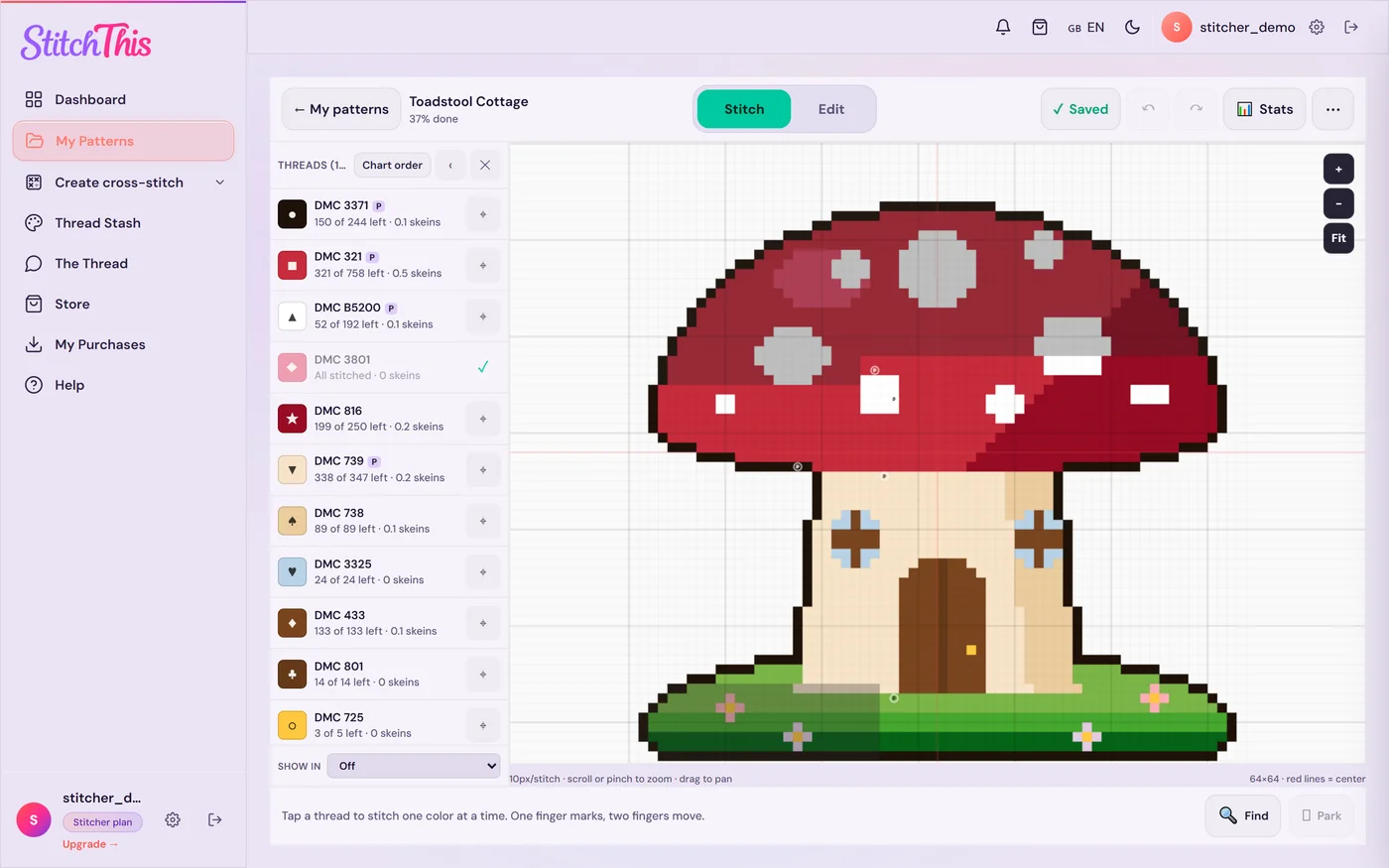
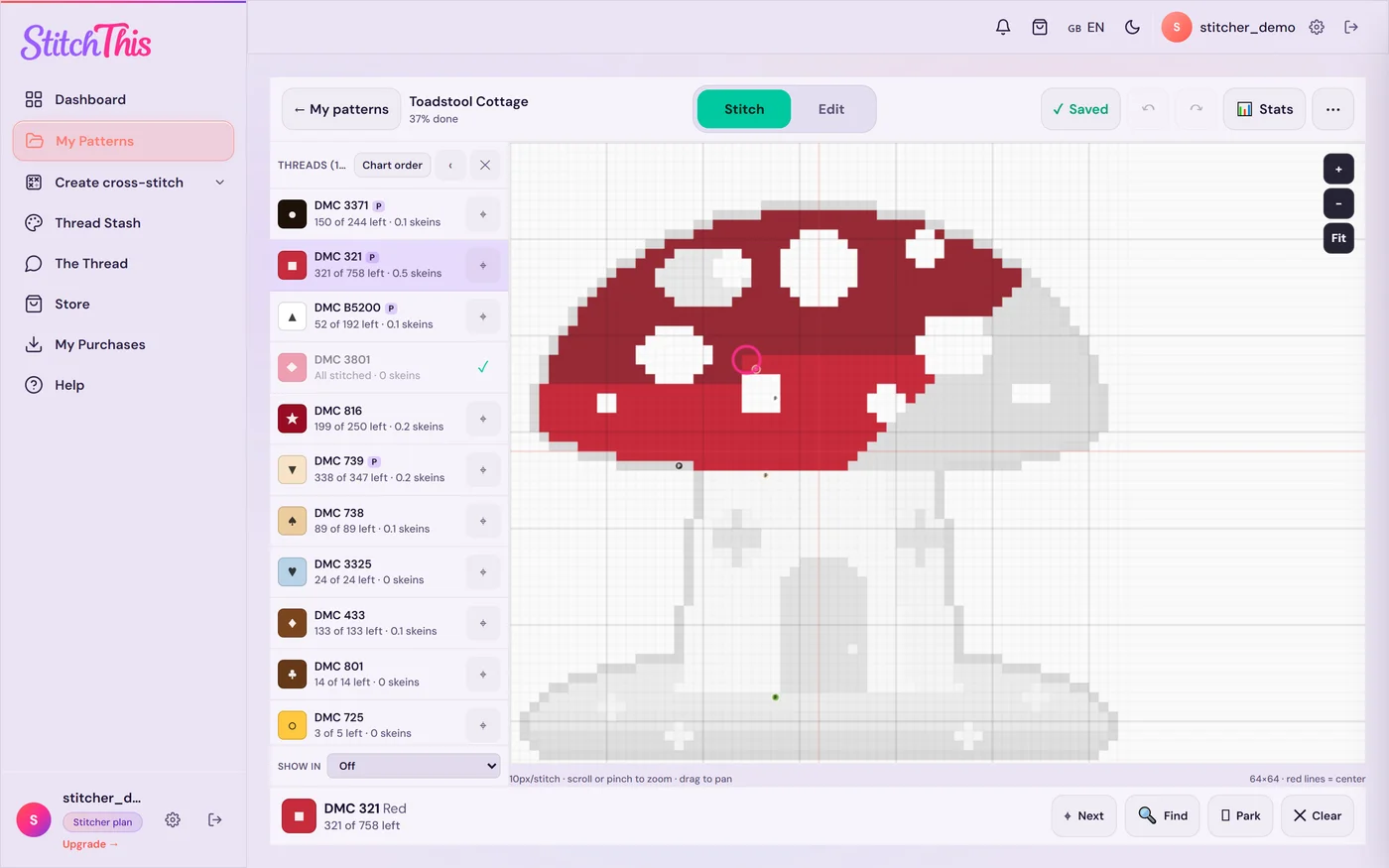
Getting your chart in. Import a PDF or OXS chart you own. The importer reads symbol and color-block charts, joins multi-page charts, and shows you the result to check before anything is saved. OXS files keep their backstitch and quarter and three-quarter stitches.
What it costs (as listed in Nov 2026):
- Free: two separate limits. You can keep 2 imported charts at a time (finishing or deleting one frees its slot), and have 2 patterns in progress at a time (pause one to start another). Sync, offline save, highlight, stats and editing are included.
- Stitch Tracker: $19.97 a year. Unlimited imported charts, unlimited patterns in progress, and needle parking. Cancel anytime in Settings and keep every chart.
- Maker: $5.99 a month or $59.99 a year. Everything in Stitch Tracker plus the design tools, half stitch and backstitch editing, and bigger imports. See plans.
Honest limits: the PDF importer reads full stitches only, so backstitch and fractionals in a PDF aren't imported. It can't read scans or photos of paper charts, which Markup R-XP can.
More on the tracker: the PDF pattern tracker, the project tracker, the parking method guide, and the device pages for PC, Mac and Chromebook and iPad.
Which cross stitch tracker app should you pick?
You stitch on an Android tablet and your charts come from supported designers. Pattern Keeper is strong here: it's built around those charts, and about $9 once is good value. Check its supported-designers page first.
You stitch on an iPad or iPhone. Pattern Keeper isn't an option. Markup R-XP is the established choice, especially for scans and backstitch. StitchThis works in Safari on iPad with sync to your other devices; see the iPad tracker page.
You want to stitch from a PC, Mac or Chromebook. Pattern Keeper needs an Android emulator on a computer, and Markup R-XP lists Apple Silicon Macs as "not verified". StitchThis runs in Chrome, Edge, Safari or Firefox, so a laptop or Chromebook works the same as a tablet. See cross stitch tracker for PC.
You use more than one device. Pattern Keeper and Markup R-XP move progress by exporting and restoring files. StitchThis syncs automatically through your account.
You want to edit the chart, not just mark it. StitchThis: Change All, Fill and Draw work on every plan, imported charts included. Pattern Keeper and Markup R-XP are track-only.
You want to keep a spreadsheet instead. That works too: the cross stitch tracker spreadsheet gives you the columns and formulas.
You're on a budget. StitchThis is free for 2 imported charts at a time with no time limit. Pattern Keeper is about $9 once after its trial.
Frequently asked questions
What is the best cross stitch tracker app? It depends on your device and your charts. Pattern Keeper suits Android users with charts from its supported designers; Markup R-XP suits iPad, iPhone and Android users with scans or lots of backstitch; StitchThis suits anyone who stitches on more than one device or on a computer, because it runs in the browser and syncs.
Is there a free cross stitch tracker app? StitchThis has a free plan that keeps 2 imported PDF or OXS charts at a time, with no time limit. Pattern Keeper and Markup R-XP offer free trials (one month and 14 days) and then charge.
Is there a cross stitch tracker app for PC? Pattern Keeper has no desktop version (its help suggests an Android emulator) and Markup R-XP is for phones and tablets. StitchThis runs in any browser on Windows, Mac or Chromebook. See cross stitch tracker for PC.
What is the best cross stitch tracker app for iPad? Pattern Keeper isn't available on iOS. Markup R-XP is the established iPad tracker; StitchThis works in Safari and syncs with your other devices. See cross stitch tracker for iPad.
Is there a cross stitch tracker online? Yes. StitchThis is a cross stitch tracker website: you import your chart and mark it off in the browser, with progress saved to your account.
Which tracker apps sync across devices? StitchThis syncs automatically through your account. Pattern Keeper says it has no automatic sync, and Markup R-XP documents backup and restore rather than sync.
Can a tracker app read backstitch from a PDF? Most can't. Pattern Keeper and StitchThis read full stitches from PDFs; Markup R-XP lets you draw backstitch on a layer yourself. Chart files such as OXS and XSD do carry backstitch, which is why StitchThis's OXS import shows it.
Why won't my PDF import into a tracker app? Usually because it's a scan, has no readable key, or uses a layout the app doesn't know. Which cross stitch PDFs work with tracker apps walks through the causes and fixes.
Pick the tracker that fits the way you stitch
If you stitch on one Android tablet with supported charts, Pattern Keeper is a fine choice. If you work from scans or want to tick off backstitch, look at Markup R-XP. If you want more than a tracker, StitchThis covers the whole hobby: patterns you buy, make or import, an editor to fix them, tracking that syncs across your laptop, tablet and phone, your floss stash and shopping list, and a community of stitchers. Start free with StitchThis and import the chart you've been putting off.
Already have a chart as a PDF?
Upload it to StitchThis and stitch from it on screen: zoom in on any section, mark stitches as you go, and pick up where you left off.
Import your PDF freeFree plan: keep 2 imported charts and track 2 patterns at a time, with no time limit. No card required.