For stitchers with a stash of charts
A cross stitch project tracker for every pattern and WIP
“I have five projects on the go, PDFs in three different apps, and I can never remember where I stopped.”
StitchThis is a cross stitch project tracker app that organizes your charts too: import the patterns you own, buy new ones or make your own, keep them all in one library, stitch several at once, and see each project’s progress, pace and finish date on your phone, tablet or computer. Your floss stash, a chart editor and a community forum come with it.
Free account · works in your browser · progress syncs across devices
Too many charts, too many WIPs, and no idea where you left off
- PDFs in your downloads folder, your email, three Etsy accounts and a designer’s website, and you can’t remember which one you bought.
- Four WIPs in four project bags, each with its own highlighted printout, and no idea which one is closest to done.
- Picking a WIP back up after two months and spending the first evening working out where you stopped.
- Buying a skein of DMC 310 for the new start, then finding two in the drawer at home.
Binders, folders and a project organizer bag can hold the charts and the floss. They can’t tell you how far along each project is or what you need to buy next. That’s the part StitchThis keeps for you: a digital pattern organizer and a progress tracker in one.
A pattern library that knows how far along you are
One library for every chart
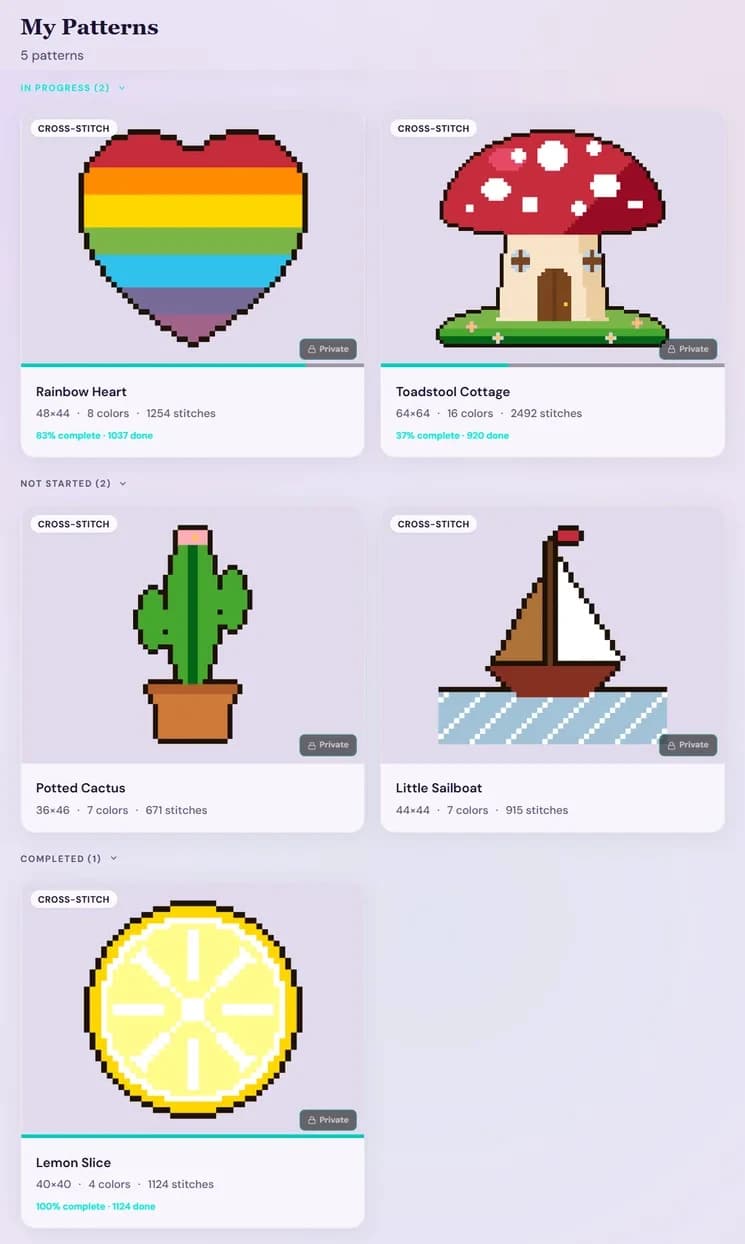
Charts you imported as PDF or OXS files, patterns you bought in the StitchThis shop, patterns you made from a photo, and designs you drew yourself all sit together on My Patterns. Search by name and sort by newest, oldest or A to Z.
Sorted by where you are
The library groups itself into In progress, Not started and Completed, and every card shows how far along it is: a progress bar and the percent done.
Pick up where you left off
Your dashboard opens on “Continue where you left off”, with the pattern you last stitched, its progress, and a button that takes you straight back in.
Every WIP keeps its own place
Stitches marked, needles parked and time spent are saved with each pattern, so rotating between projects never costs you your place in any of them.
Progress stats for every project
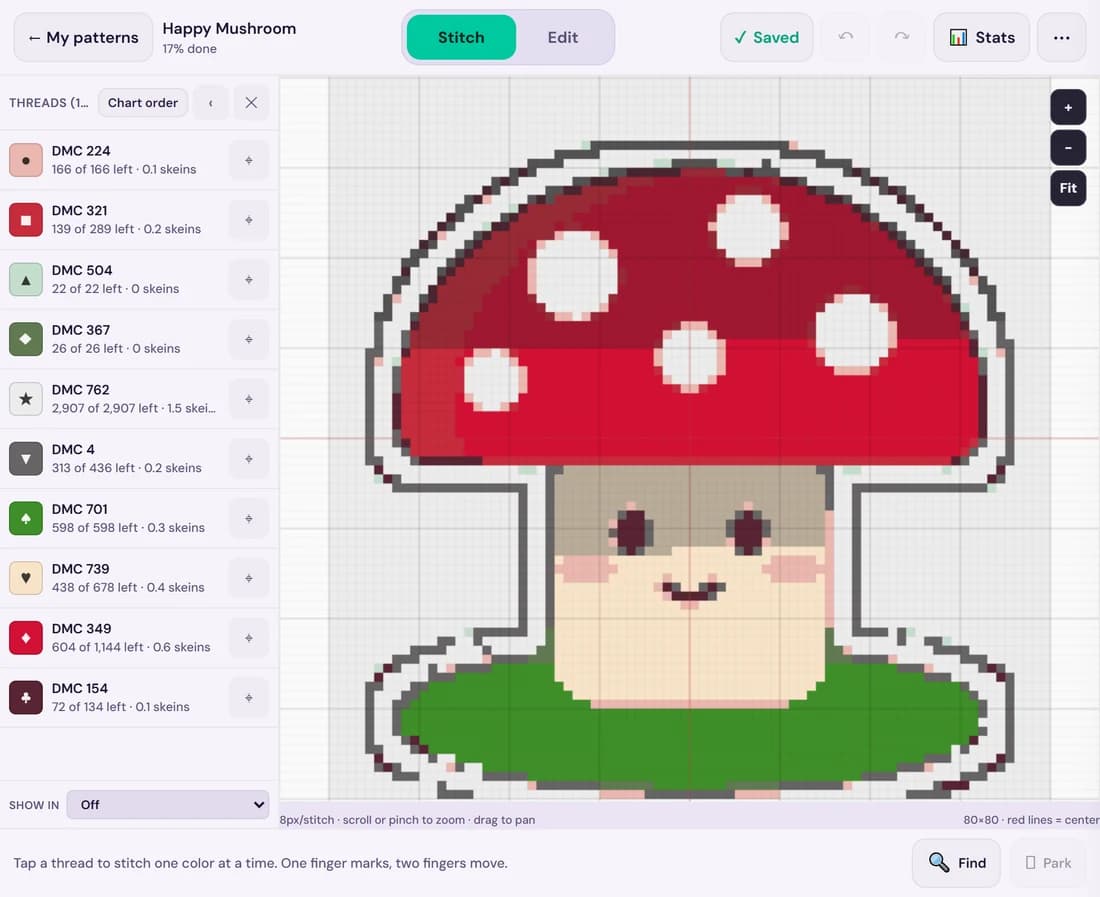
Open any pattern’s Stats and you see where that project stands, not a guess from how thick the highlighted part of the printout looks.
Percent done and stitches left
For the whole pattern and for each thread, so you know whether that last color is 40 stitches or 4,000.
Time and pace
Total stitching time, stitching days, stitches per day, and a 14-day chart of your recent sessions.
An estimated finish date
After a couple of stitching days, the tracker estimates when you’ll finish at your current pace. Handy when a WIP is meant to be a gift.
Daily goals
Today’s stitches and minutes, with an optional goal ring to aim for.
Change the chart, then keep stitching it
Track-only apps let you mark a chart but not change a single stitch. In StitchThis every pattern, imported charts included, opens with an editor next to the tracker.
Swap a thread you don’t have
Change All replaces every stitch of one color with another, so you can stitch with what’s already in your stash instead of buying one more skein.
Fix a stitch or clean up a corner
Draw paints stitches one at a time, Fill recolors a whole area, and the Dropper picks up a color from the chart. Undo is always one tap away.
Track the chart you edited
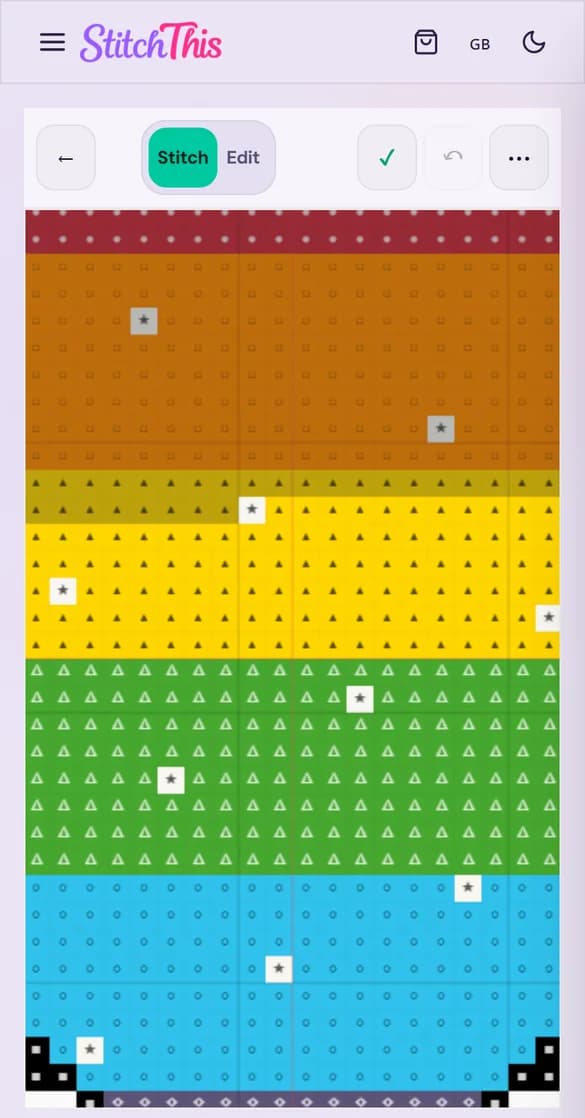
Edits and progress live in the same pattern, so you never keep one copy to change and another to mark. Switch between Stitch and Edit at the top of the screen.
Half-stitch and backstitch editing and Format Painter are part of Maker. Imported charts always stay private to you.
Your patterns and your floss stash, side by side
Know what you own
The free floss stash tracker keeps your threads by brand and number, with skein counts and where each one is stored. Bring it in from a CSV file or a photo instead of typing it.
Check before you buy
Every pattern has a floss shopping list, and your stash is on your phone in the shop, so you can see what a project needs and what is already in the drawer.
Finish, and the stash catches up
When you mark a pattern complete, you can deduct the floss it used, so your stash stays close to what’s really in the drawer.
See the floss stash tracker, look up a thread in the DMC color chart, or read our floss stash organization guide for the physical side.
Buy or make your next pattern
New patterns land in the same library as the charts you already own, ready to track.
Buy from the pattern shop
Patterns bought in the StitchThis shop open straight in the tracker and never count toward the free limits.
Turn a photo into a pattern
Upload a photo of a pet, a place or a person and the cross stitch pattern maker turns it into a chart with DMC threads, free on every plan.
Draw your own
Start from a blank grid and stitch your own design, lettering included with the cross stitch text generator.
Stitch alongside other stitchers
The StitchThis forum is part of the same account, so the people answering your question stitch with the same tools you do.
Show and Tell and WIPs
Share a finish, or post how a long project is going and get the encouragement to keep at it.
Help & Tips and Floss Talk
Ask about a tricky chart, a fabric count or a thread substitute, and get answers from people who stitch too.
Pattern Talk and Requests
Talk designers and charts, or ask for a pattern you can’t find anywhere.
Browse the forum without an account; posting needs a free one. Looking further afield? Here’s where to find cross stitch community online and off.
How it works
1.Create a free account
No card needed. Everything below works in your browser on a phone, tablet or computer.
2.Bring in your patterns
Import the PDF or OXS charts you own, buy one in the StitchThis shop, or make your own from a photo or a blank grid. Imports are read for the grid, symbols and color key, charts split across pages are joined, and you check the chart before it’s saved. If a chart won’t import or looks wrong, the StitchThis team works with you to fix it.
3.Start stitching, or pick up a WIP
Open a pattern and mark stitches with a tap or a drag. Partway through a project already? Mark the finished area as already stitched, so your progress matches your fabric without throwing off your pace.
4.Track everything
Every pattern keeps its own stitches, parked needles, time and stats, the library shows which are in progress and how far along they are, and your floss stash sits beside them. Switch projects whenever you want.
Wondering whether your PDFs will come through? The PDF pattern tracker page shows which charts import well, which can’t be read yet, and what stitching one looks like.
Is it the right project tracker for you?
StitchThis fits if…
- You want your charts and your progress in the same place, not a library in one app and a tracker in another.
- You rotate between WIPs and want each one to remember exactly where you stopped.
- You stitch on more than one device, including iPad or iPhone.
- You’d like your stash and your patterns to talk to each other.
- You sometimes need to change a chart: swap a thread, fix a mistake, clean up a corner.
Current limits
- No custom folders, tags, notes or progress photos per project yet; the library groups by status, with search and sorting.
- Scans and photos of paper charts can’t be read stitch by stitch; the importer needs a digital PDF or an OXS file.
- PDF imports bring in full stitches only; backstitch comes in from OXS files.
- It runs in your browser; the app-store app is still in development. See how it compares with Pattern Keeper.
What it costs
Stitcher: free
- 2 unfinished imported charts (PDF or OXS); finishing or deleting one frees its slot
- Track 2 patterns at a time (pause one to start another)
- Unlimited patterns from your photos and drawings
- Floss stash tracker and shopping list
- Download a PDF of your imported charts
Stitch Tracker: $19.97 a year
- Unlimited imported charts
- Unlimited patterns in progress
- Needle parking for big, full-coverage charts
- Renews every year; cancel anytime in Settings
- When it ends, you keep every chart and every pattern you’ve started
Maker: $5.99/month or $59.99/year
- Everything in Stitch Tracker
- Bigger imported charts: up to 1000 × 1000 stitches instead of 600 × 600
- Half-stitch and backstitch editing, and the design tools
- The rest of the Maker plan
Stitch Tracker is offered when you save an imported chart past the free limit. Patterns bought in the StitchThis shop never count toward either limit.
Questions stitchers ask
Can I track several cross stitch WIPs at once?
Yes. Every pattern keeps its own progress, parked needles and stats, and the library shows which ones are in progress. On the free plan, 2 patterns can be in progress at a time: pause one to start another. Stitch Tracker and Maker remove that limit. Patterns bought in the StitchThis shop never count toward it.
How many patterns can I keep for free?
Patterns you make from photos or draw yourself: as many as you like. Imported PDF and OXS charts: 2 unfinished at a time. Finishing or deleting an imported chart frees its slot, and a PDF that couldn’t be read (kept as a view-only PDF) never uses one.
What is the Stitch Tracker pass?
Stitch Tracker is $19.97 a year for unlimited imported charts, unlimited patterns in progress and needle parking. It renews every year; cancel anytime in Settings and keep every chart. It’s offered when you save an imported chart past the free limit, next to Maker, which already includes it.
What happens when my pass ends, or if I go over the limit?
Nothing is taken away. You keep every chart and keep tracking every pattern you’ve started. The limit only applies when you save a new imported chart or start another pattern.
Can I sort my patterns into folders or tags?
Not yet. The library groups patterns by status (in progress, not started, completed), and you can search by name and sort by date or name. If you rely on custom folders, tags or project notes, a spreadsheet or notes app alongside StitchThis will cover that part better for now.
Does it work on my phone, iPad and computer?
Yes. StitchThis runs in the browser, and progress syncs between devices: stitches marked on your tablet show up on your phone. Save a pattern to a device to keep stitching without internet; it syncs when you’re back online. There’s no app-store app yet.
Can I edit a chart I imported?
Yes. Open it and switch to Edit: Change All swaps every stitch of one color for another, Draw and Fill fix stitches and areas, and the Dropper picks up a color. Your progress stays with the pattern. Half-stitch and backstitch editing and Format Painter are part of Maker. Imported charts always stay private.
Does it know which threads I already own?
If you add your floss to the free stash tracker, yes: it keeps your threads by brand and number with skein counts, so you can check what you own before you buy. Every pattern has a floss shopping list, and when you mark a pattern complete, you can deduct the floss it used from your stash.
Can I export my imported charts?
You can download a PDF of any chart you imported, free on every plan. Imported charts aren’t exported as OXS files on any plan.
Bring your WIPs home
Import the two charts you’re stitching right now, mark where you are, and see whether one library beats five project bags of printouts. It’s free.