
StitchThis
HaaktoolsKruissteekCommunityPrijzen
InloggenGratis registreren
  1. Home
  2. ›Crochet
  3. ›C2C Pattern Maker

Free to design · first pattern free

Bèta

A C2C Crochet Pattern Maker That Writes Your Diagonal Rows

Reading a C2C graph means counting tiles along a 45-degree line, writing each diagonal row out by hand, and losing your place every time you put it down.

Design the blanket on a grid or from a photo, see it as real diagonal tiles, and get every diagonal row written out from your starting corner, with where to increase and decrease.
Start a C2C chartSee how it works
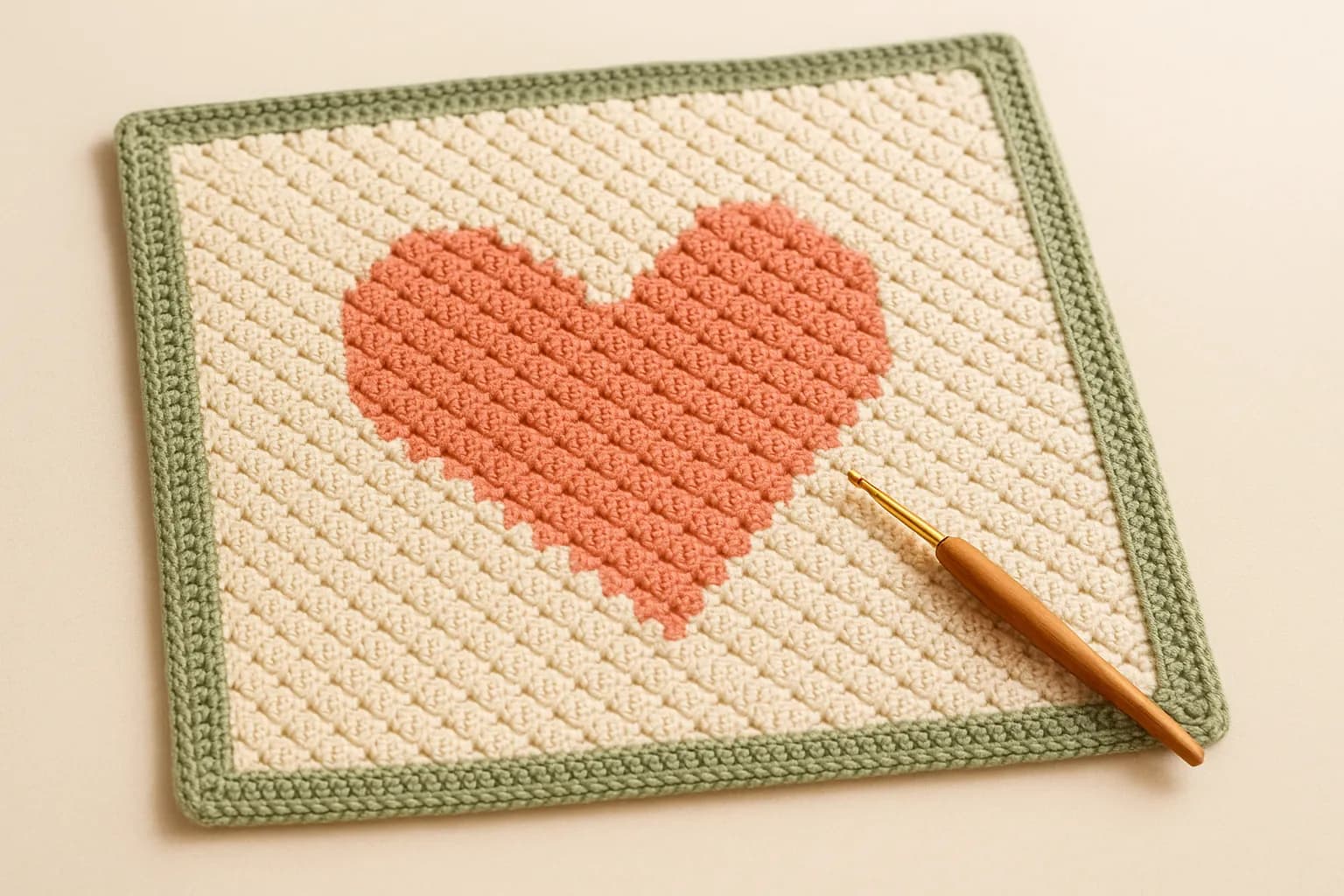
Illustration of a corner-to-corner crochet square with a coral heart on cream and a green border, with a crochet hook

The C2C diagonal view

C2C charts can be shown as a flat grid or as the tilted tiles you actually crochet. These are real screenshots: the heart blanket on the left is read diagonal by diagonal, with each row written out on the right.
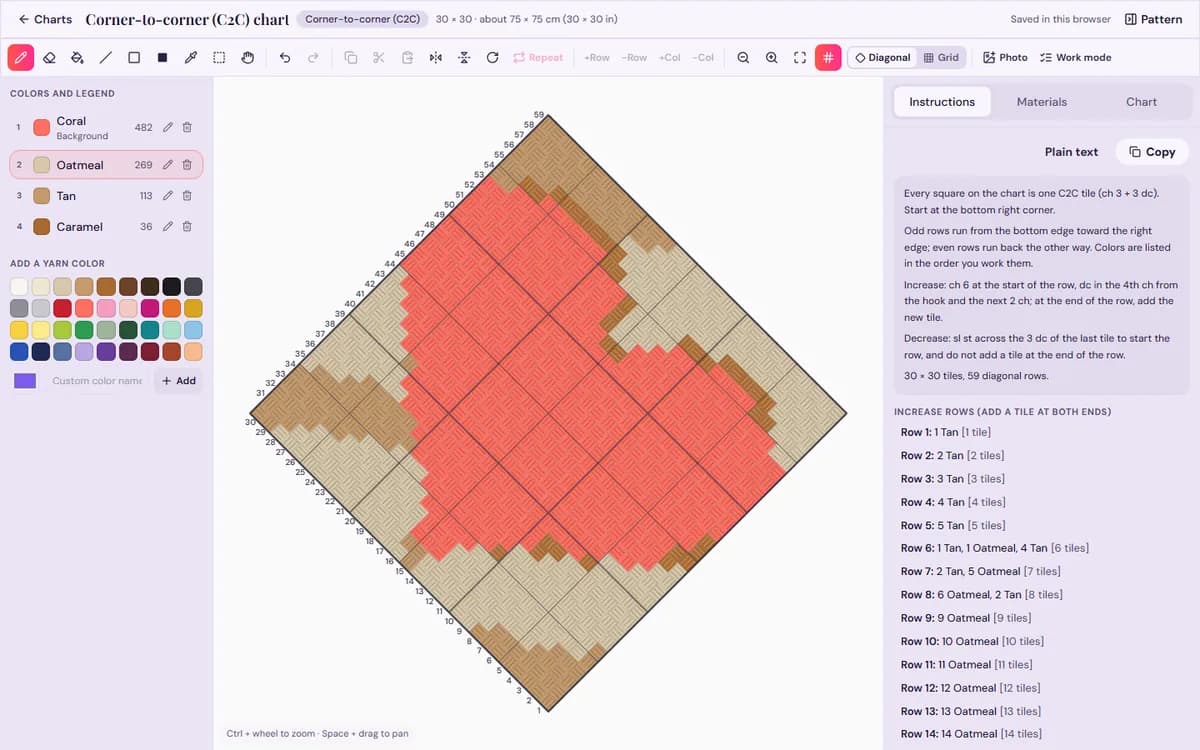
StitchThis chart maker in diagonal view, drawing a corner-to-corner crochet chart as tilted C2C tiles with the diagonal rows numbered from the starting corner
Never lose your place on a diagonal again: tiles are drawn the way you work them, with each diagonal row numbered and written out.
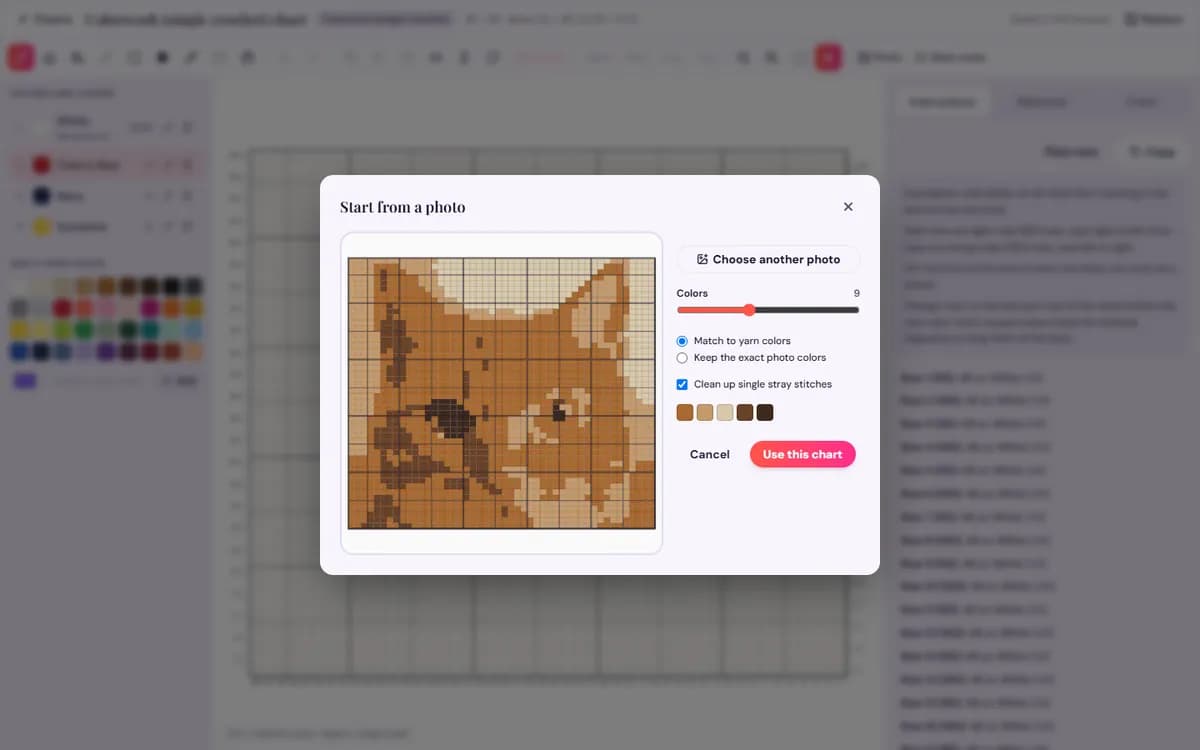
StitchThis photo import window turning a photo into a crochet chart, with a slider for the number of colors and an option to match yarn colors
Tame a busy photo: pick how many colors to keep, match them to yarn, and see the chart before you commit.
Start a C2C chartFree to design and preview. Your first basic crochet pattern is free with an account.

Making a C2C pattern

  1. 1

    Set tiles and corner

    Tiles wide and high, and your starting corner: bottom right, bottom left, top right or top left.

  2. 2

    Draw or import

    Paint the tiles, or turn a photo into a C2C chart with the colors you want.

  3. 3

    Follow the written rows

    Each diagonal row lists its tiles by color, with the rows where each edge switches to decreasing.

Why you won’t lose your place

Corner-to-corner starts with one tile in a corner. Each diagonal row adds a tile until the piece reaches its width on one side; then that side decreases while the other keeps increasing (for a rectangle), and finally both sides decrease to the last tile. Each tile is 3 double crochets around a chain-3.

On a flat graph the rows you work cut across the picture at 45 degrees, which is why C2C graphs are so easy to misread. The StitchThis chart maker’s diagonal view draws each tile tilted the way you work it and numbers the diagonal rows from your corner. Hover a tile to see its row, and work mode tracks where you are.

Design and preview free, right in your browser. Your first basic pattern is free with an account.

Start a C2C chart

C2C tips

  • A tile is about as tall as a double crochet row, so tiles are roughly square. Measure a 10-tile swatch for your real tile size.
  • Estimate yarn first with the crochet yarn calculator, then check it against your swatch: C2C tension varies a lot.
  • Fewer colors make a cleaner picture; tiny details disappear in big tiles. Busy picture? Try it as a graphgan in single crochet.
  • Use bobbins for each color area. More tools are on all of our crochet tools.

Squares, rectangles and starting corners

A square C2C piece grows on both edges until the middle diagonal, then shrinks on both. A rectangle is different: once the shorter side is reached, that edge switches to decreasing while the long edge keeps increasing, until the far corner. The written notes give the row where each edge changes, so you don’t have to work it out from the graph.

You can start from any of the four corners. Most patterns start at the bottom right, but if a design has lettering or a face, starting at a top corner can put the detailed part on fresh, even rows. The row numbers and written rows follow whichever corner you pick.

Frequently asked questions

What does C2C mean in crochet?

Corner to corner: the piece is worked in diagonal rows of small tiles, from one corner to the opposite one.

Do I get written C2C instructions?

Yes. Each diagonal row is written out with its tile colors and counts, and the notes say on which row each edge starts decreasing.

Can I start from a photo?

Yes. Choose corner-to-corner, start from a photo, and pick how many colors to keep.

Is the C2C pattern maker free?

Designing the blanket and checking it in the diagonal view are free. The first full C2C pattern is free with an account; then it’s $5.99 a pattern, 5 for $20, or Craft Unlimited for unlimited patterns.

Related crochet tools

  • A Graphgan Pattern Maker That Counts Every Row for YouChart the graphgan stitch by stitch, from scratch or from a picture, and get the color changes for every row in the…Open the graphgan pattern maker →
  • Turn a Photo Into a Crochet Pattern Without the Color MessChoose the chart size and how many colors to keep, match them to real yarn colors, and get a clean colorwork, C2C or…Open the photo to crochet pattern →
  • A Crochet Chart Maker So You Can Stop Counting SquaresDraw the chart on a grid drawn at your stitch’s real proportions, and get every row written out, the yarn for each…Open the chart maker →
  • Crochet Yarn Calculator So You Never Run Out Mid-ProjectPick a project size, your stitch and yarn weight, and your skein length. You get the yards, meters and skeins to buy,…Open the yarn calculator →

See all our crochet tools

Make your next crochet pattern yours

Design and preview free. Your first basic crochet pattern is free with a StitchThis account; after that it’s $5.99 a pattern, 5 for $20, or Craft Unlimited ($9.99/month or $99.99/year) for unlimited patterns in every craft. Every craft, unleashed.

Start a C2C chartCreate a free StitchThis accountSee plans and pricing
StitchThis

De complete digitale werkplek voor kruissteekmakers.

Borduren

  • Foto naar borduurpatroon
  • Borduursteken
  • Een patroon overbrengen
  • Garenomrekenaar
  • Alle borduurgidsen

Haken

  • Garment Pattern Maker
  • Sweater Pattern Generator
  • Beanie Calculator
  • Yarn Calculator
  • Photo to Crochet Pattern
  • Chart Maker
  • Graphgan Pattern Maker
  • C2C Pattern Maker
  • Symbol Chart Maker
  • Amigurumi Pattern Generator
  • Photo to Amigurumi
  • Stitch Fiddle Alternative

Product

  • Patroonmaker
  • StitchSense
  • Patronenwinkel
  • Community
  • Prijzen

Bedrijf

  • Over ons
  • Contact
  • Hulp
  • Support

Juridisch

  • Servicevoorwaarden
  • Privacybeleid

© 2026 StitchThis. Alle rechten voorbehouden.

Met liefde gemaakt voor borduurders overal.