StitchThis
HækleværktøjerKorsstingFællesskabPriser
Log indOpret gratis konto
  1. Home
  2. ›Crochet
  3. ›Photo to Crochet Pattern

Free to design · first pattern free

Beta

Turn a Photo Into a Crochet Pattern Without the Color Mess

You upload a photo and get a blur of 60 colors that no one could crochet, with no idea how many stitches go in each row.

Choose the chart size and how many colors to keep, match them to real yarn colors, and get a clean colorwork, C2C or filet chart with every row written out and the yarn for each color.
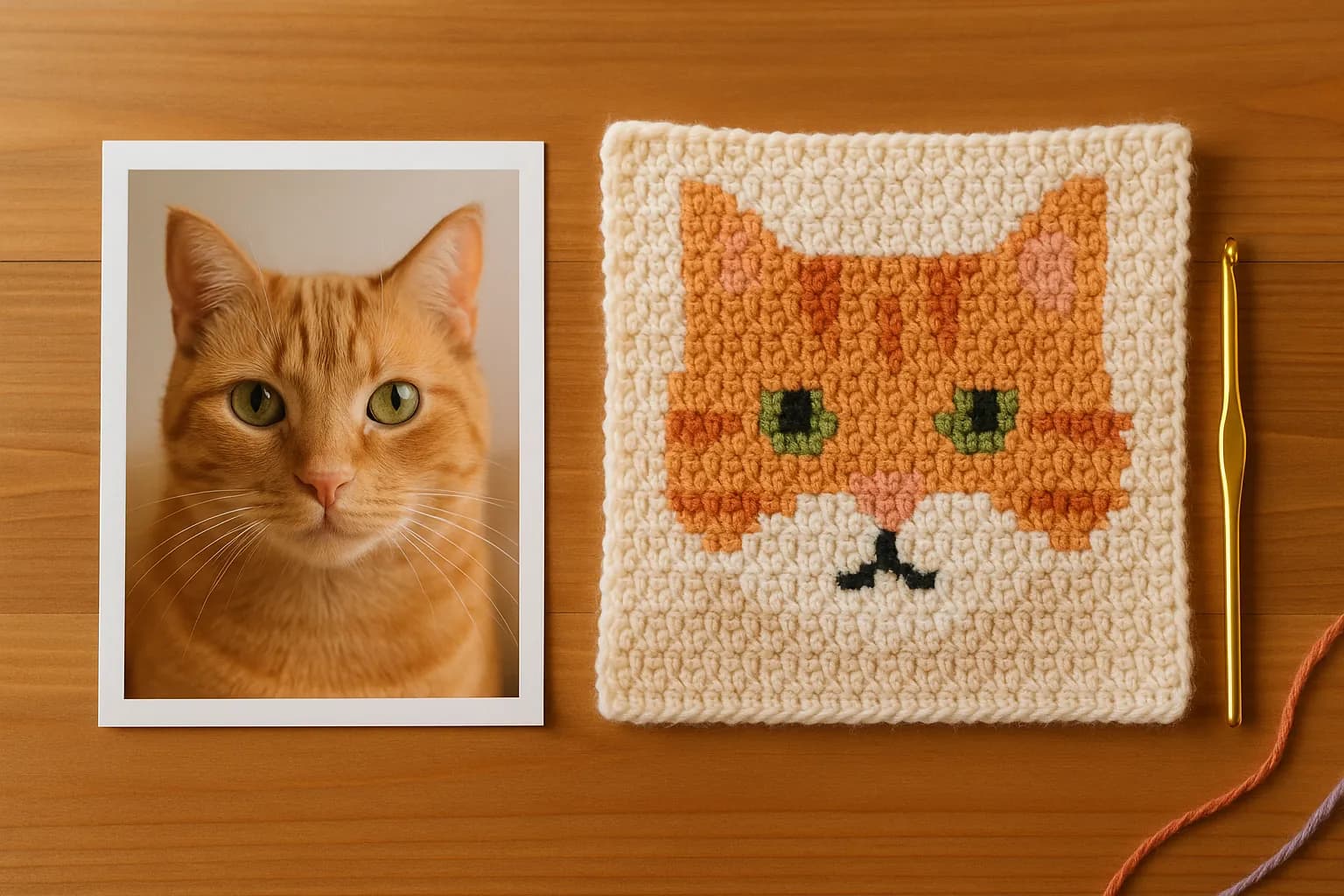
Turn a photo into a chartSee how it works
Illustration of a photo of a ginger cat next to a crocheted square of the same cat face in pixel-style colorwork

See it work

Photo import lives in the StitchThis chart maker. These are real screenshots; open the chart maker to try it with your own photo.
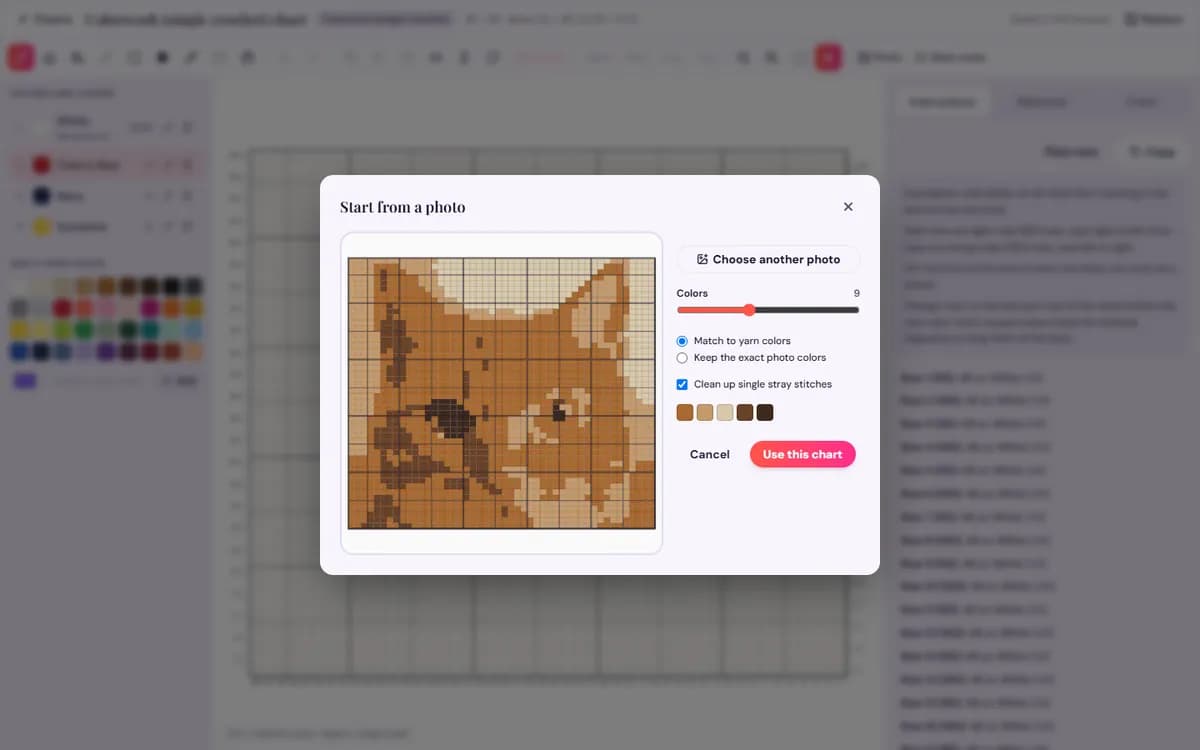
StitchThis photo import window turning a photo into a crochet chart, with a slider for the number of colors and an option to match yarn colors
Tame a busy photo: pick how many colors to keep, match them to yarn, and see the chart before you commit.
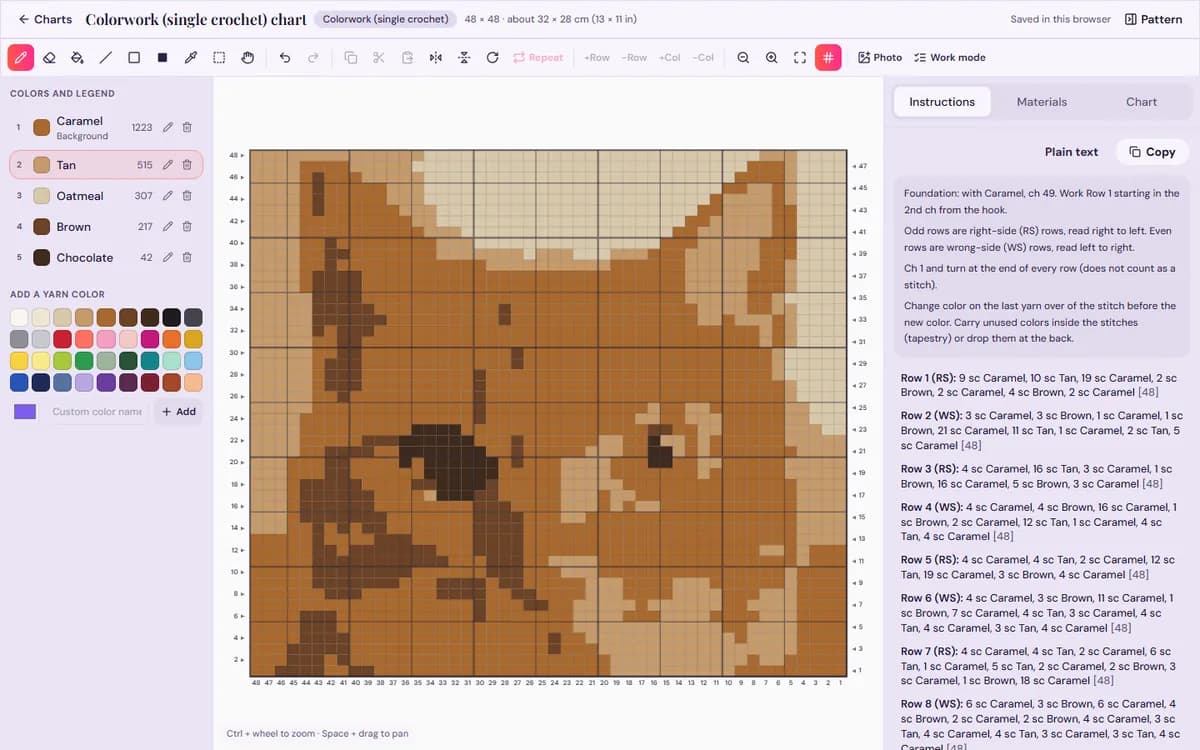
StitchThis chart maker showing a colorwork crochet chart made from a photo, with numbered rows, a yarn color legend and written row-by-row instructions beside it
No graph paper, no counting squares: every row of this colorwork chart is already written out as color counts.
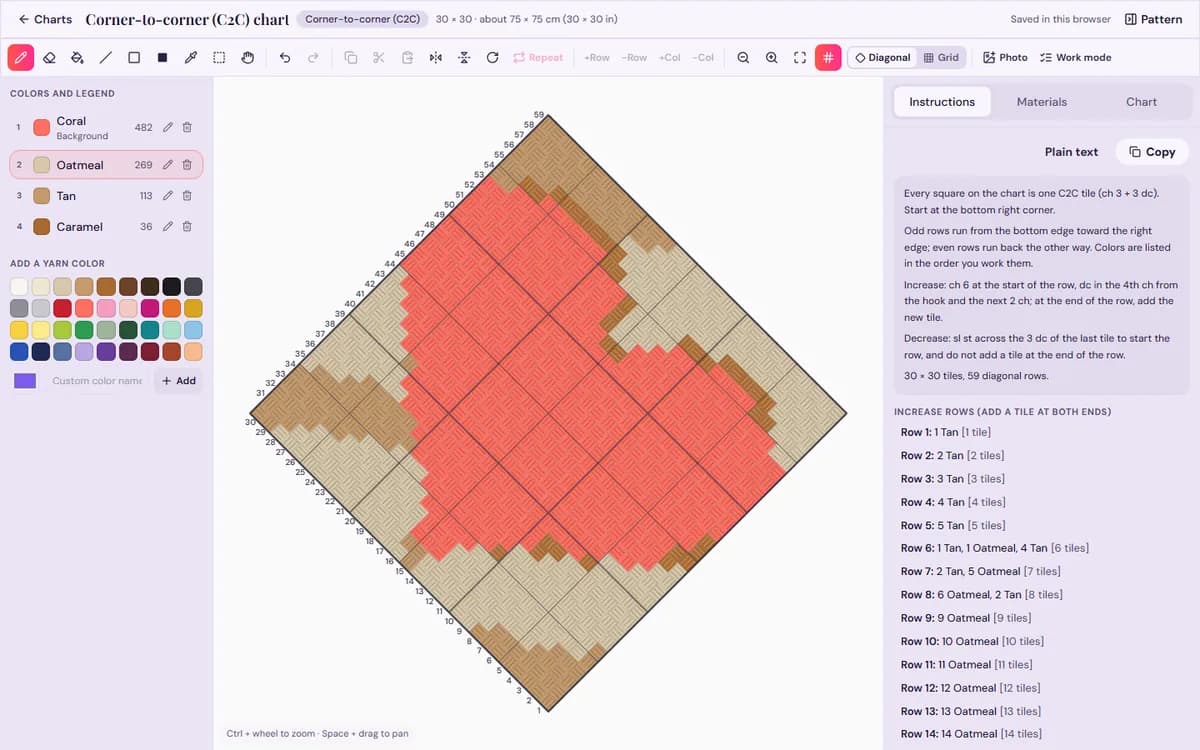
StitchThis chart maker in diagonal view, drawing a corner-to-corner crochet chart as tilted C2C tiles with the diagonal rows numbered from the starting corner
Never lose your place on a diagonal again: tiles are drawn the way you work them, with each diagonal row numbered and written out.
Turn your photo into a chartFree to design and preview. Your first basic crochet pattern is free with an account.

From picture to chart in three steps

  1. 1

    Pick the chart and size

    Colorwork, corner-to-corner or filet, up to 300 × 300 stitches or tiles. The finished size shows in inches and centimeters.

  2. 2

    Drop in the photo

    Keep 2 to 20 colors, matched to yarn colors or the exact photo colors, and clean up single stray stitches. For filet, set a light/dark threshold.

  3. 3

    Tidy and crochet

    Repaint stray stitches, swap colors and add a border in the editor, then follow the written rows.

Why the chart comes out crochetable

  • Fewer, real colors

    You choose the color count, and colors can be matched to yarn shades instead of 60 near-identical pixels.

  • No stray single stitches

    Cleanup removes isolated stitches that would mean a color change for one stitch.

  • Every row written

    Color counts row by row for colorwork, diagonal rows for C2C, blocks and spaces for filet.

  • Yarn per color

    Meters and yards for each color, counted from its stitches, so you buy enough of each.

Design and preview free, right in your browser. Your first basic pattern is free with an account.

Turn a photo into a chart

Which photos make good crochet charts

Crochet stitches are big: a 100-stitch blanket has fewer “pixels” across than a phone icon. Simple photos chart best: one subject, a plain background, strong contrast and a few large areas of color. Pet portraits, logos and flowers work; busy landscapes lose their detail.

Colorwork gives the most detail per inch, C2C is faster with bolder shapes, and filet turns the photo into light and dark lace. See the graphgan pattern maker and the C2C pattern maker for each style, check yardage in the crochet yarn calculator, and find the rest on our crochet tools page.

Getting the size and colors right

  • Decide the finished size first. At a typical worsted gauge, a 40-stitch colorwork chart makes a pillow front of roughly 11 inches; a 30-tile C2C chart makes a baby blanket of roughly 30 inches.
  • Crop tight around the subject before you upload. Background you don’t need costs stitches and colors you don’t want.
  • Start with fewer colors and add one at a time. Watch the eyes and edges in the preview: when they stop improving, stop adding colors.
  • Match to yarn colors when you want shades you can actually buy; keep the exact photo colors when you plan to pick yarn by eye afterwards.
  • Try the same photo as more than one chart type. Each chart is saved separately, so compare a colorwork and a C2C version side by side before you commit.

Frequently asked questions

Will my photo really work?

Simple photos with a clear subject, plain background and strong contrast give the best charts. Busy photos lose detail at crochet sizes, and you can tidy anything in the editor.

How many colors should I use?

Fewer than you think: six to ten is plenty for most tapestry and C2C pieces. Each color is another bobbin and another set of color changes.

Can I make a C2C pattern from a photo?

Yes. Choose corner-to-corner and each square becomes one tile, with diagonal rows written for you.

Is turning a photo into a chart free?

Making, tidying and previewing the chart is free. Your first basic crochet pattern is free with an account; after that a chart pattern is $5.99, or 5 for $20, and Craft Unlimited makes every pattern unlimited.

Related crochet tools

  • A Crochet Chart Maker So You Can Stop Counting SquaresDraw the chart on a grid drawn at your stitch’s real proportions, and get every row written out, the yarn for each…Open the chart maker →
  • A C2C Crochet Pattern Maker That Writes Your Diagonal RowsDesign the blanket on a grid or from a photo, see it as real diagonal tiles, and get every diagonal row written out…Open the c2c pattern maker →
  • A Graphgan Pattern Maker That Counts Every Row for YouChart the graphgan stitch by stitch, from scratch or from a picture, and get the color changes for every row in the…Open the graphgan pattern maker →
  • Crochet Yarn Calculator So You Never Run Out Mid-ProjectPick a project size, your stitch and yarn weight, and your skein length. You get the yards, meters and skeins to buy,…Open the yarn calculator →

See all our crochet tools

Make your next crochet pattern yours

Design and preview free. Your first basic crochet pattern is free with a StitchThis account; after that it’s $5.99 a pattern, 5 for $20, or Craft Unlimited ($9.99/month or $99.99/year) for unlimited patterns in every craft. Every craft, unleashed.

Turn a photo into a chartCreate a free StitchThis accountSee plans and pricing
StitchThis

Det komplette digitale værksted for korsstingsskabere.

Broderi

  • Fra foto til broderimønster
  • Broderisting
  • Sådan overfører du et mønster
  • Garnkonverter
  • Alle broderiguides

Hækling

  • Garment Pattern Maker
  • Sweater Pattern Generator
  • Beanie Calculator
  • Yarn Calculator
  • Photo to Crochet Pattern
  • Chart Maker
  • Graphgan Pattern Maker
  • C2C Pattern Maker
  • Symbol Chart Maker
  • Amigurumi Pattern Generator
  • Photo to Amigurumi
  • Stitch Fiddle Alternative

Produkt

  • Mønsterskaber
  • StitchSense
  • Mønsterbutik
  • Fællesskab
  • Priser

Virksomhed

  • Om os
  • Kontakt
  • Hjælp
  • Support

Juridisk

  • Servicevilkår
  • Privatlivspolitik

© 2026 StitchThis. Alle rettigheder forbeholdes.

Lavet med kærlighed til broderere overalt.